
Walk to the airplane
already knowing.
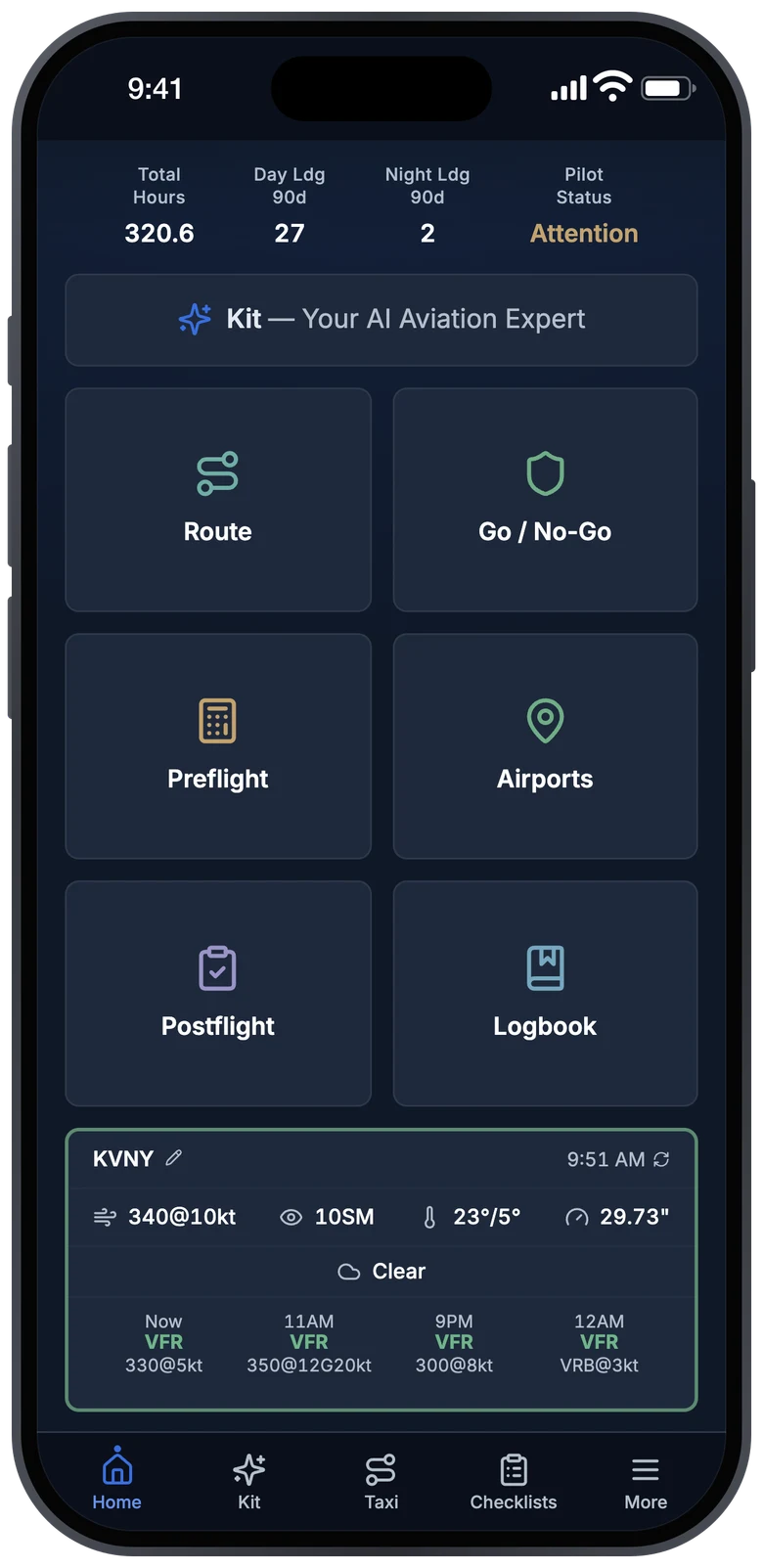
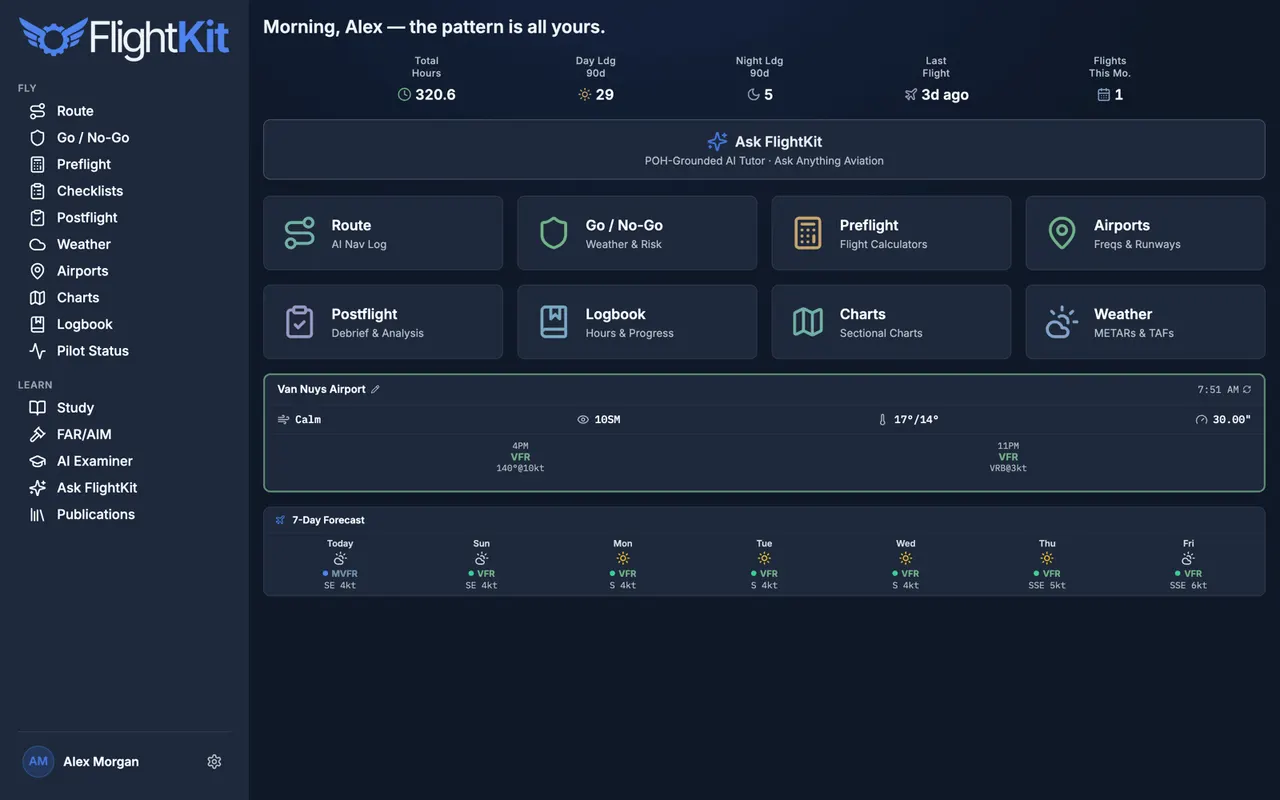
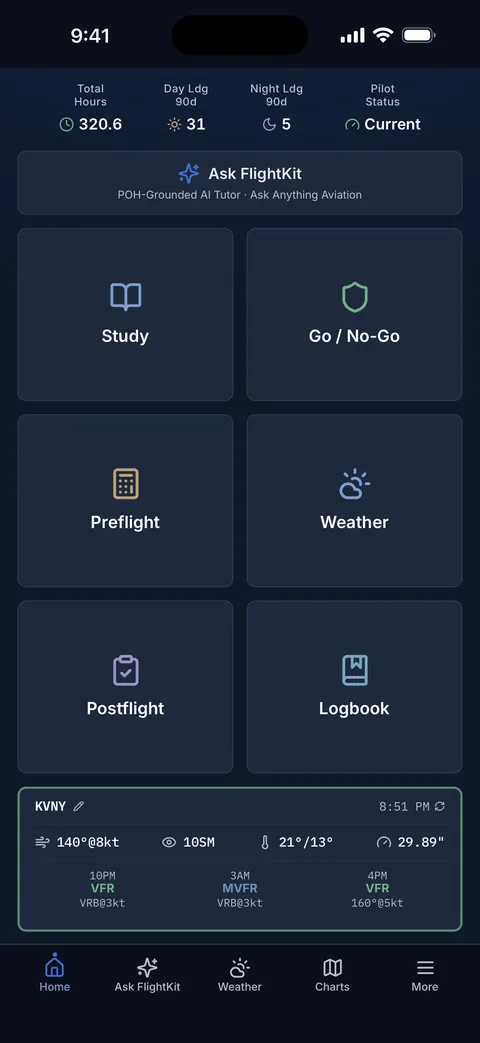
Live weather, charts, route planning, weight & balance, and a logbook that tracks your currency — the whole preflight in one app.
Full Pro free for 7 days — no card. Keep the free tier forever.


The problem
Right now it’s five apps.
Weather here, charts there, weight & balance on paper, currency you’re tracking by hand. Every handoff is a step you can skip — and skipped steps are how checkrides get busted and how accidents start.
Great in the air — nothing for the ground
Question banks disconnected from real flying
Raw METARs, no go/no-go call
Doesn’t watch your §61.57 currency
That’s $300+ a year across four apps — and you’re still switching between them. FlightKit is all of it, from $99. Here’s the panel ↓
The toolbox
Everything, in one glass panel
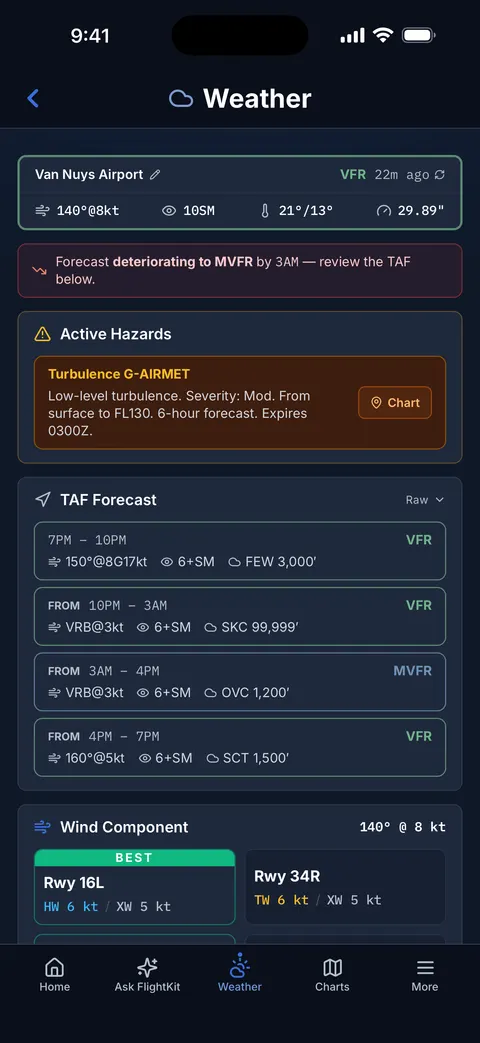
Live METAR & TAF, decoded and trended
Pull the current weather for any airport — decoded into plain English, trended against your ETD, and read in the same glance as your go/no-go call. No raw code to parse under pressure.
How to read a METAR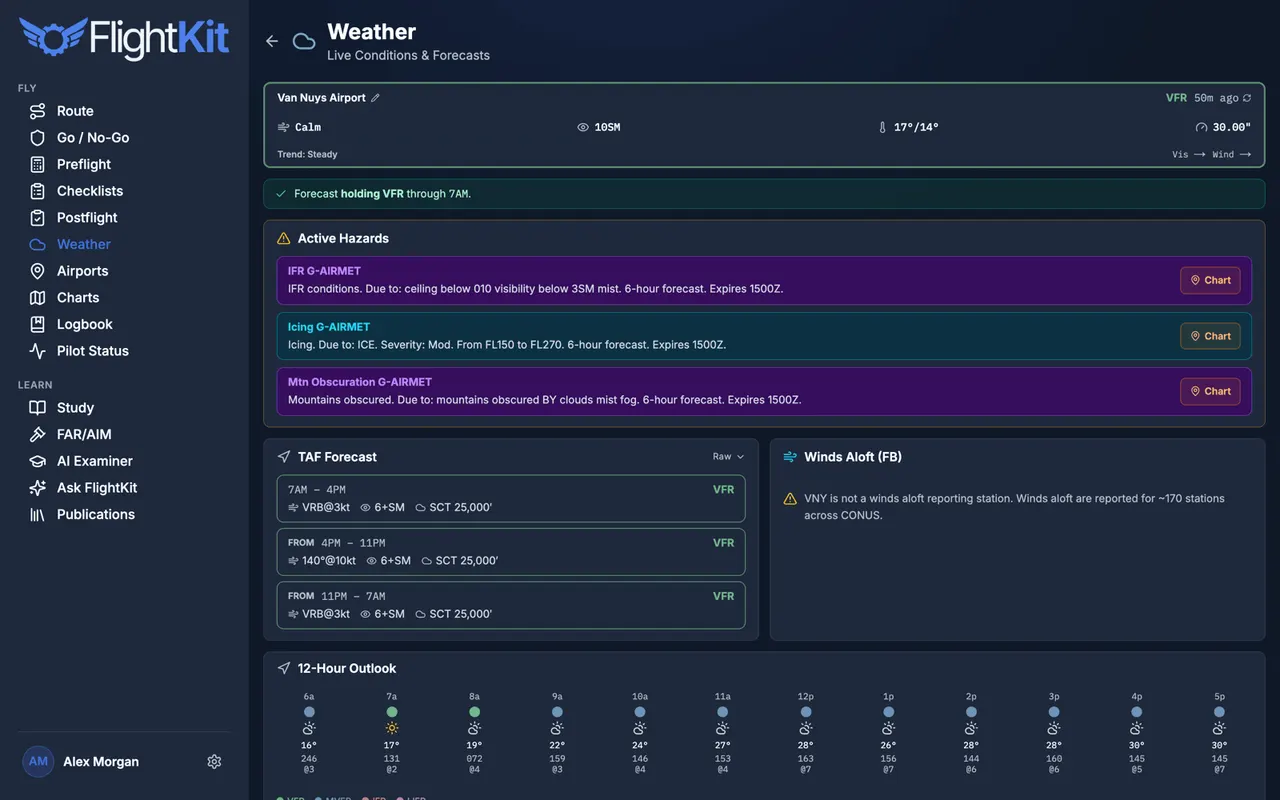
Sectional & IFR charts, FAA conventions untouched
The real charts you study on — sectionals and IFR plates with airport overlays, live weather, and airspace, rendered exactly the way the FAA draws them so what you learn is what you fly.
How to read a sectional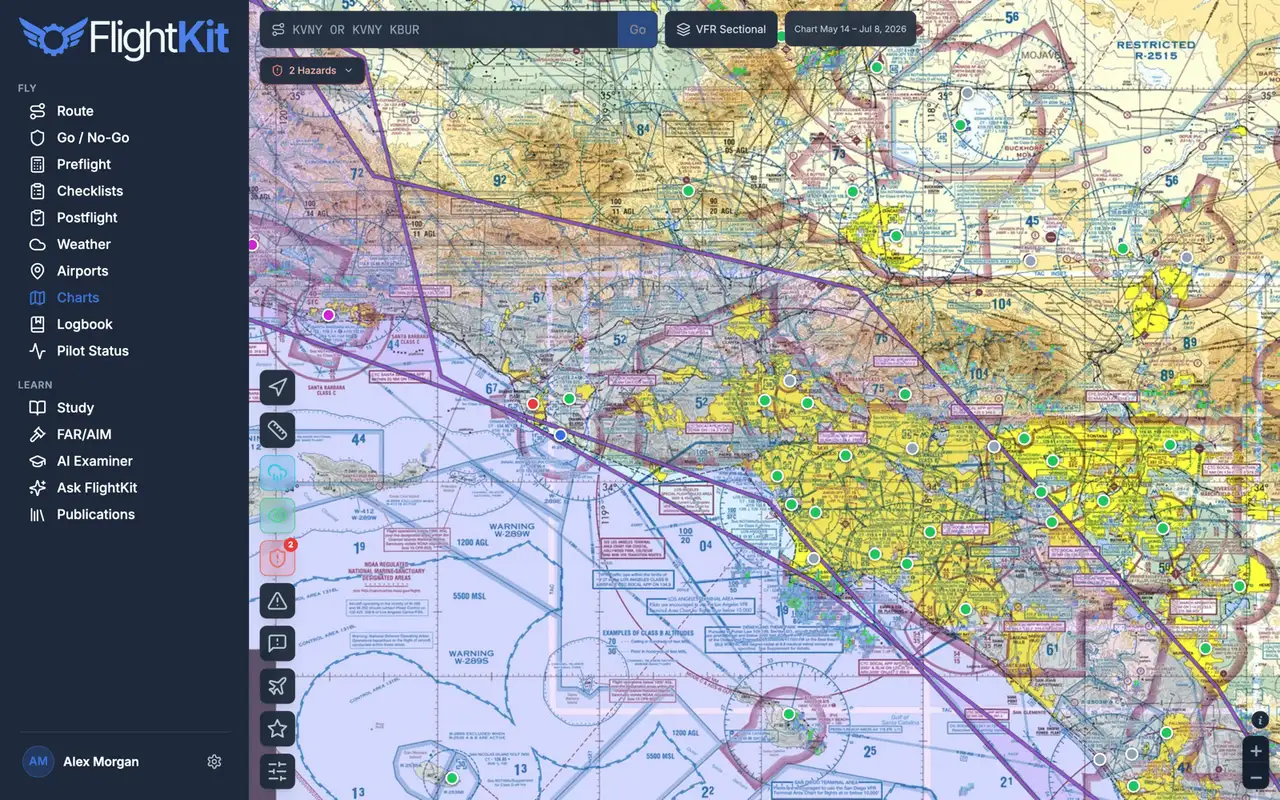
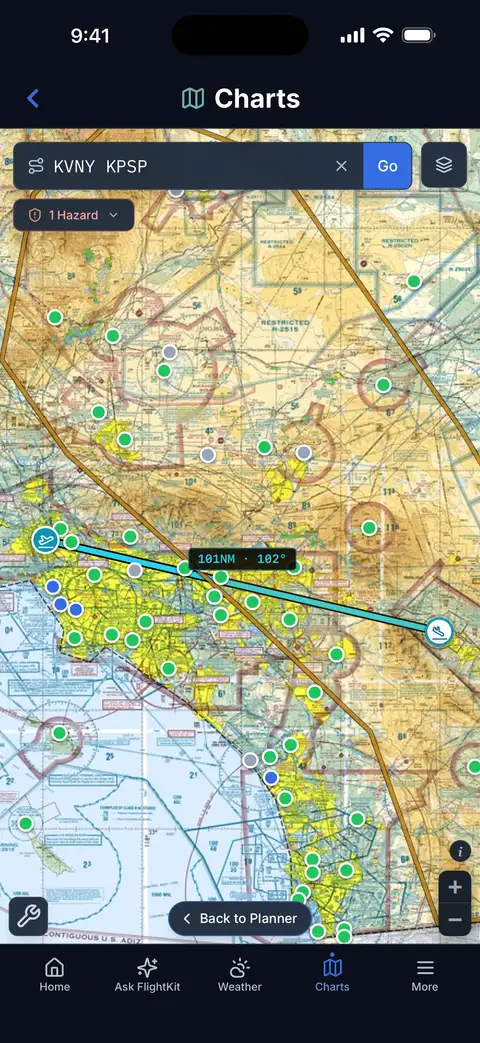
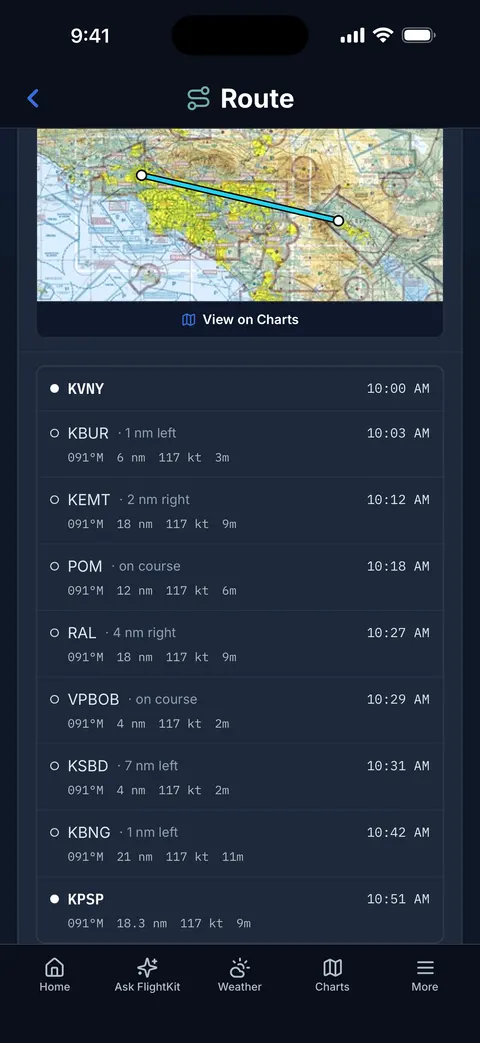
A VFR nav log that plans around the airspace
Type your departure and destination and get a full VFR route with a leg-by-leg nav log — headings, distances, times, and fuel — that routes around Class B and C airspace instead of straight through it. Drag any waypoint on the sectional to reshape the route.
VFR cross-country planning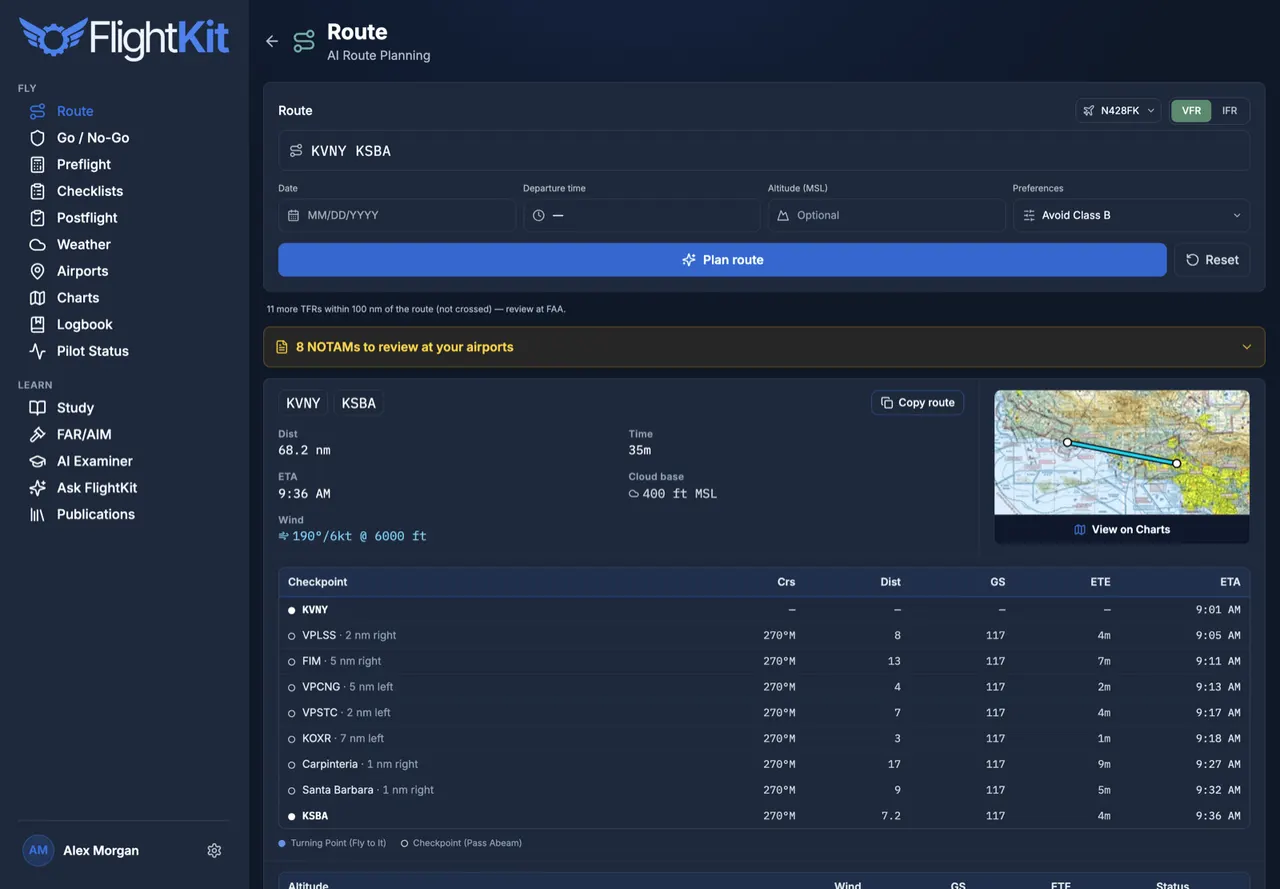
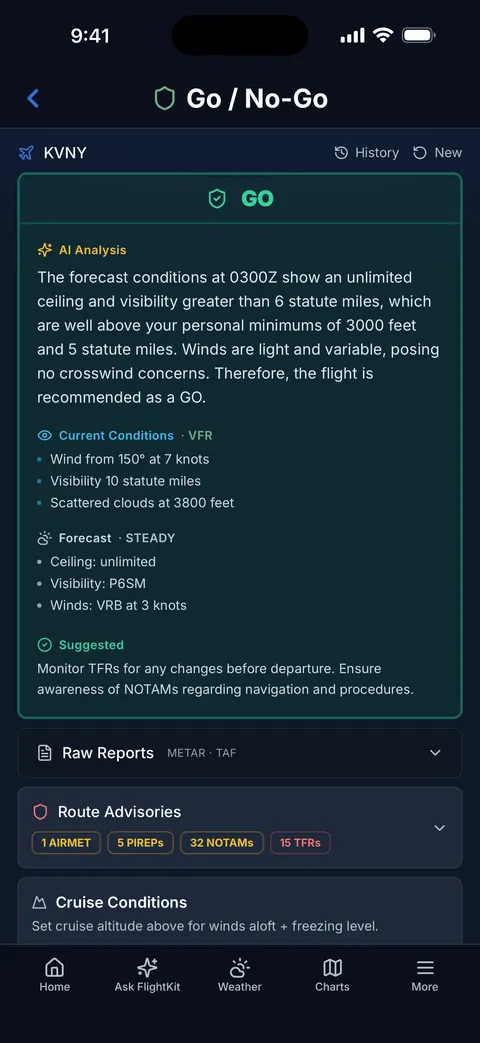
A go/no-go brief against your personal minimums
Every factor — ceiling, visibility, crosswind, winds aloft, NOTAMs, TFRs — checked against your own limits and rolled into one clear GO, CAUTION, or NO-GO, with an AI brief explaining why.
VFR weather minimums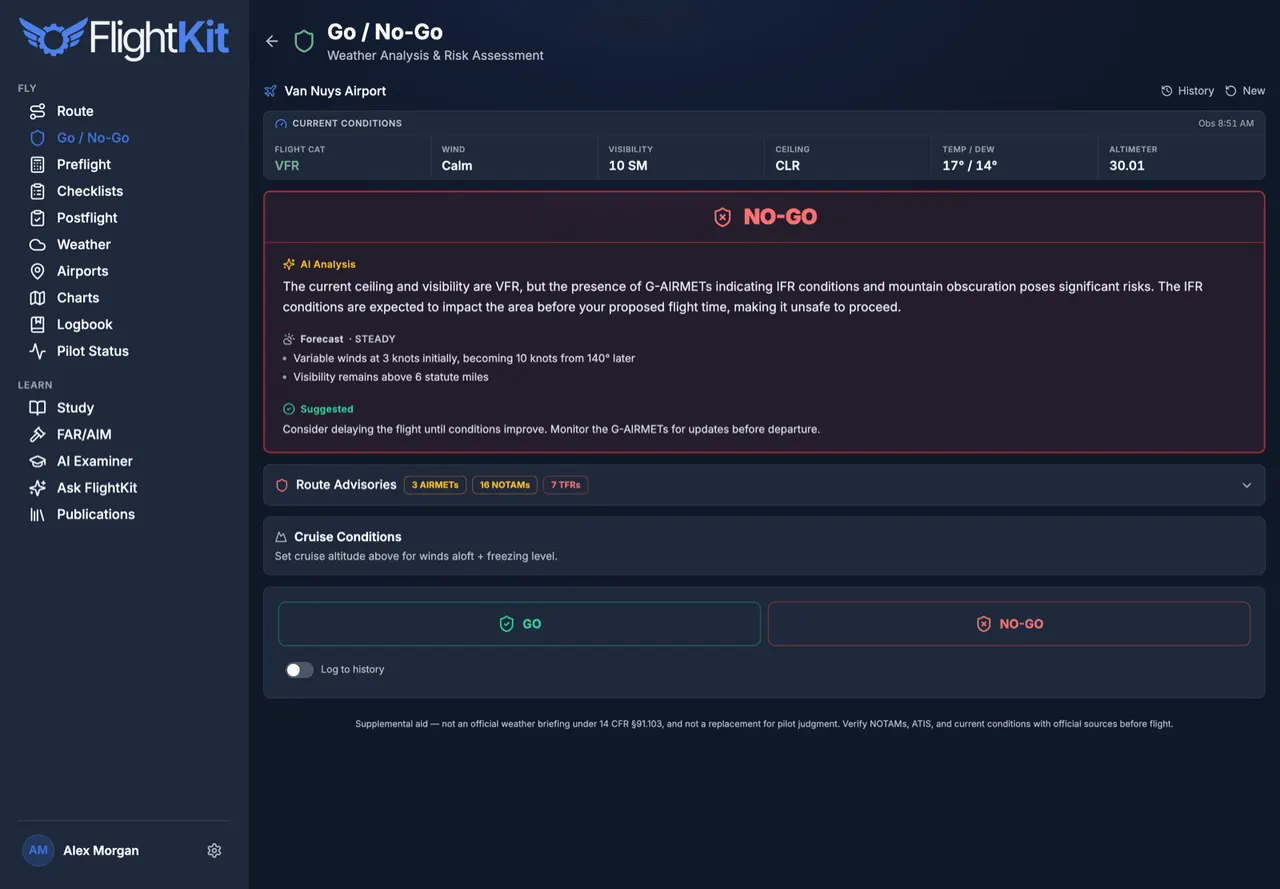
Preflight math that used to live on paper
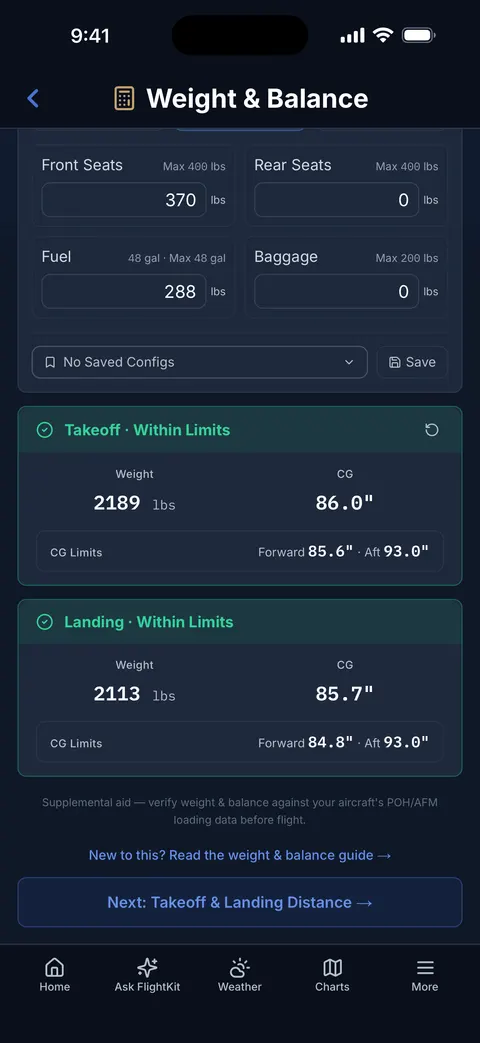
Weight & balance against your aircraft’s POH, takeoff and landing performance, crosswind components, density altitude, fuel planning — computed, not estimated, and saved with your tail number.
Weight & balance, explained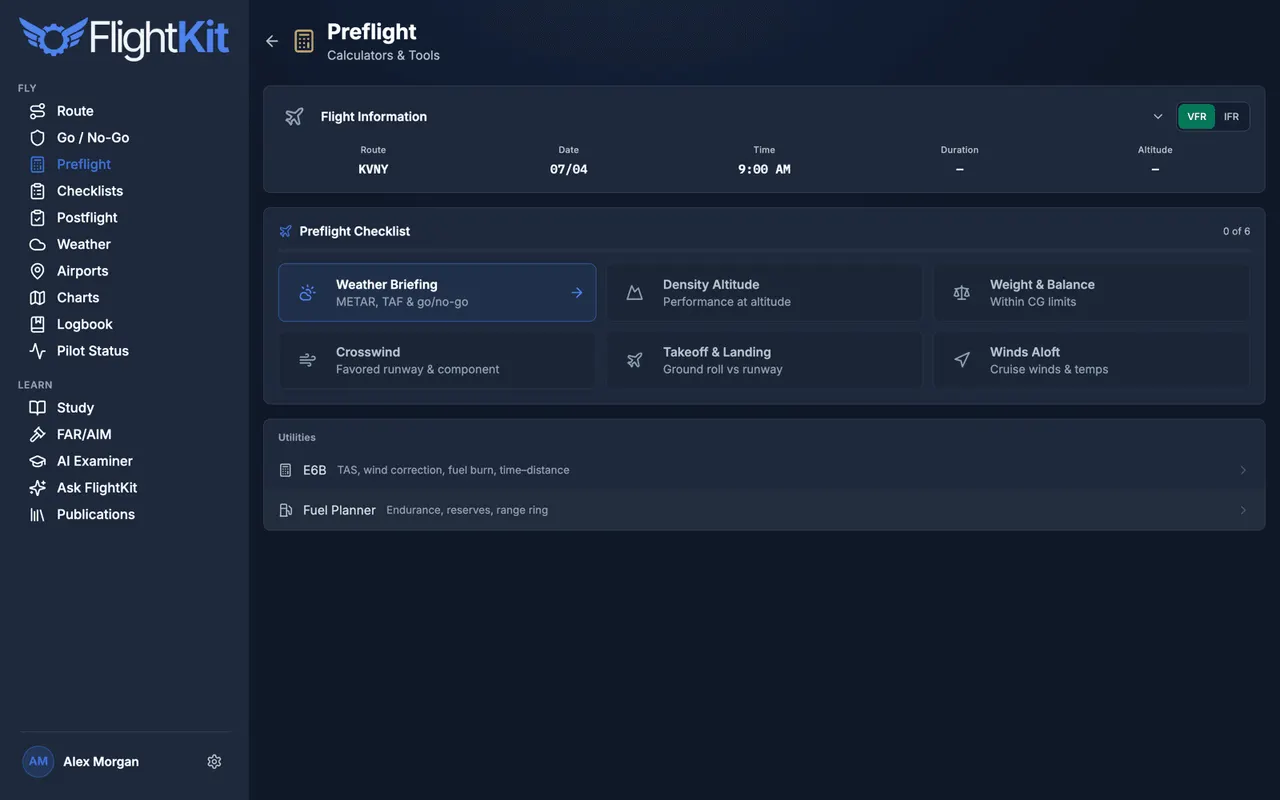
A logbook that watches your currency for you
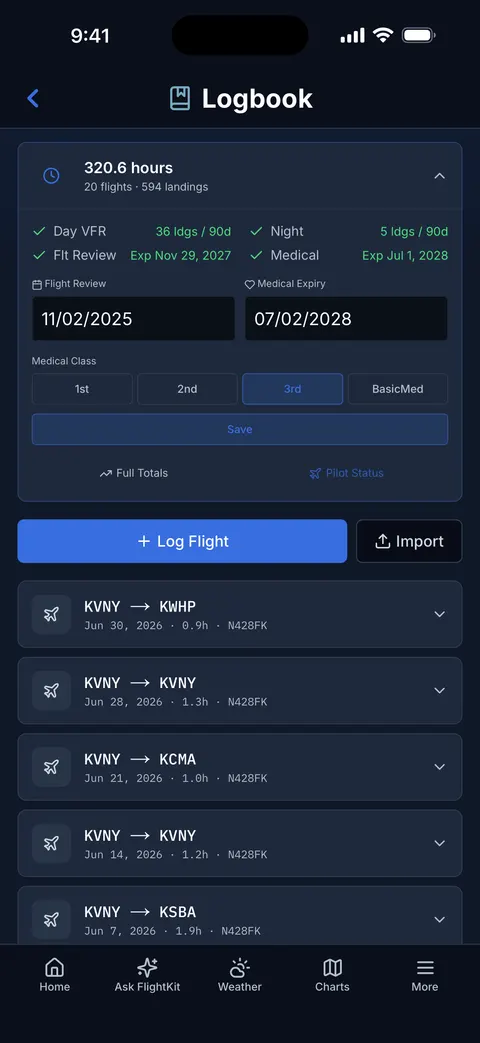
Log a flight and FlightKit tracks §61.57 day/night currency, your flight review, and medical — and tells you the day something lapses, before a ramp check or an instructor does.
Pilot currency requirements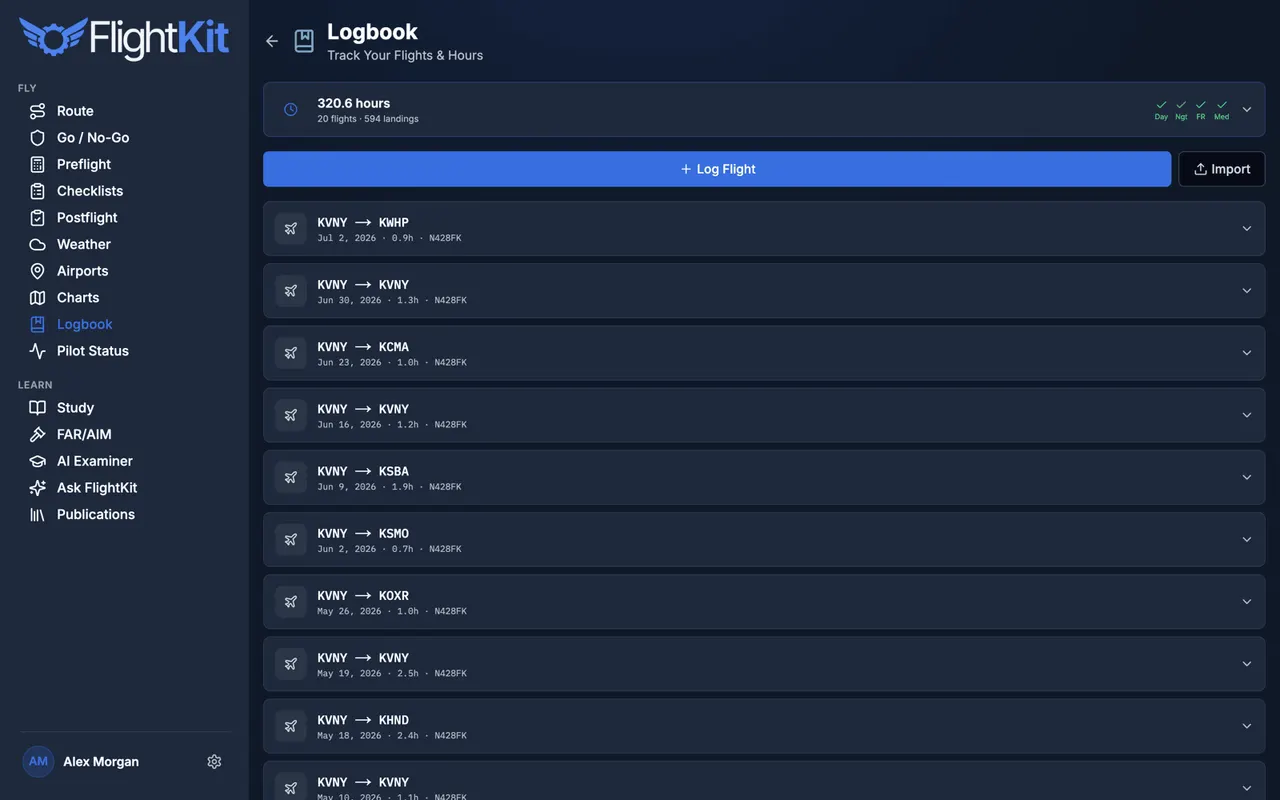
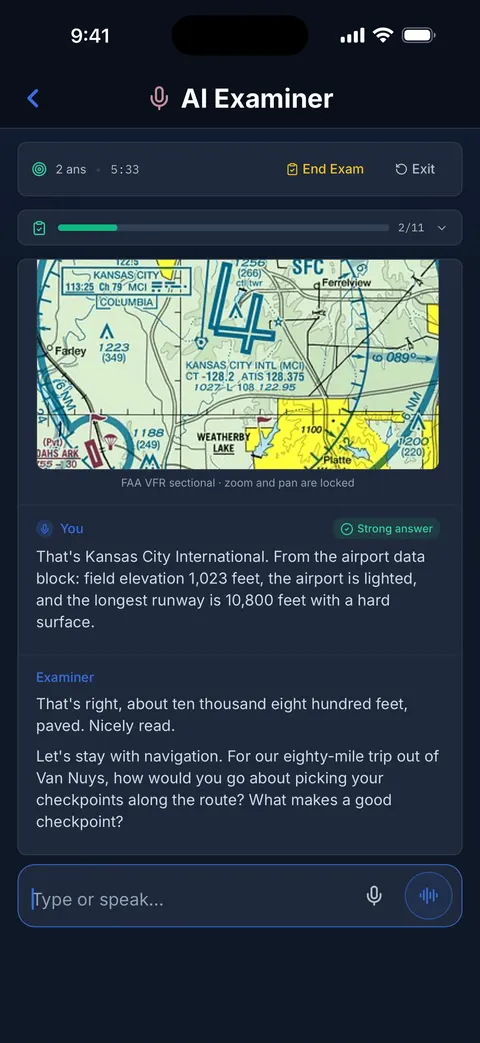
ACS ground school and an AI examiner
Study every ACS area with quizzes and flashcards, then sit a spoken mock oral with an AI examiner that drills you area-by-area, cites the ACS, and debriefs you like a real DPE.
Common oral exam questions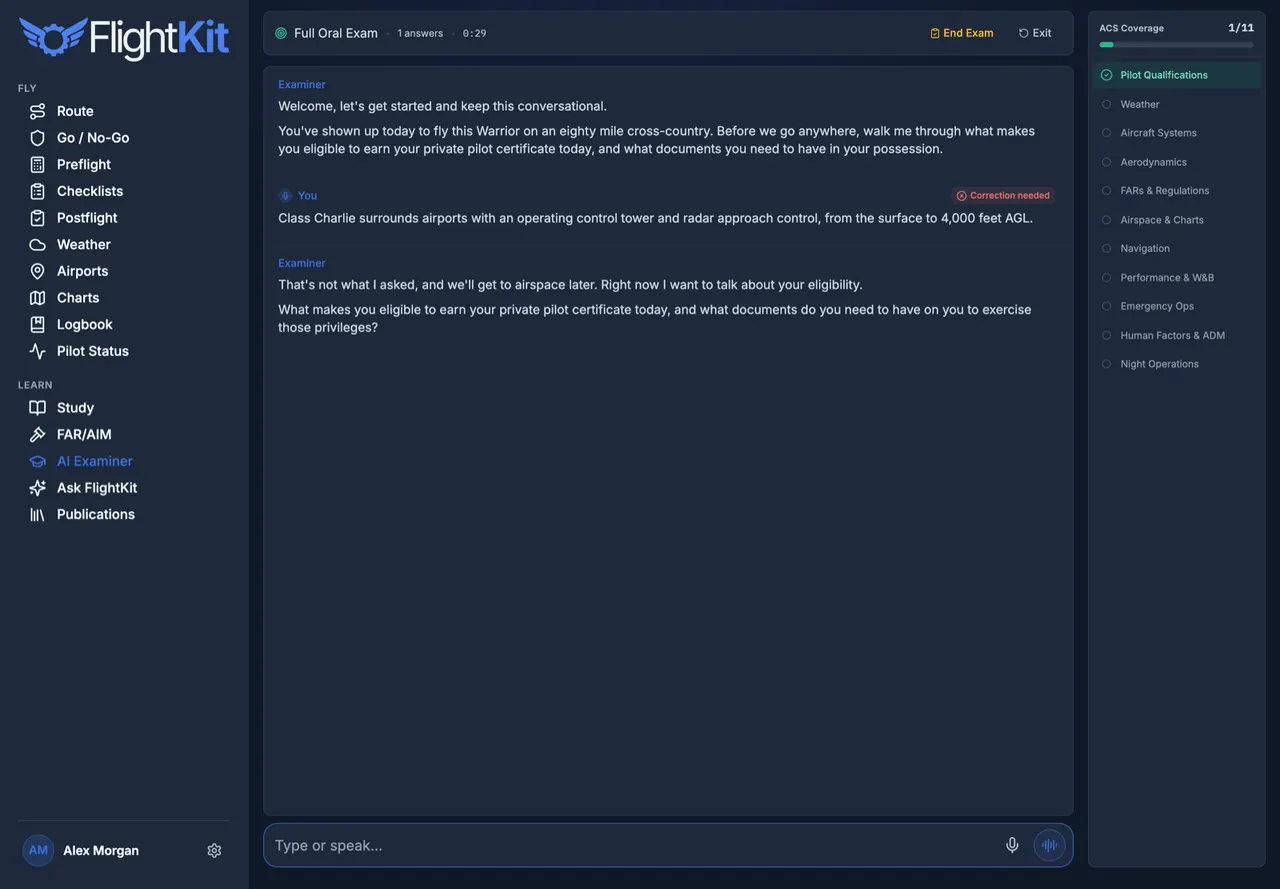
A POH-grounded AI tutor, on call
Ask anything aviation — regs, systems, procedures, your own aircraft’s numbers — and get an answer grounded in the POH and the FARs, not a guess. Ground school that answers back.
The private pilot ACS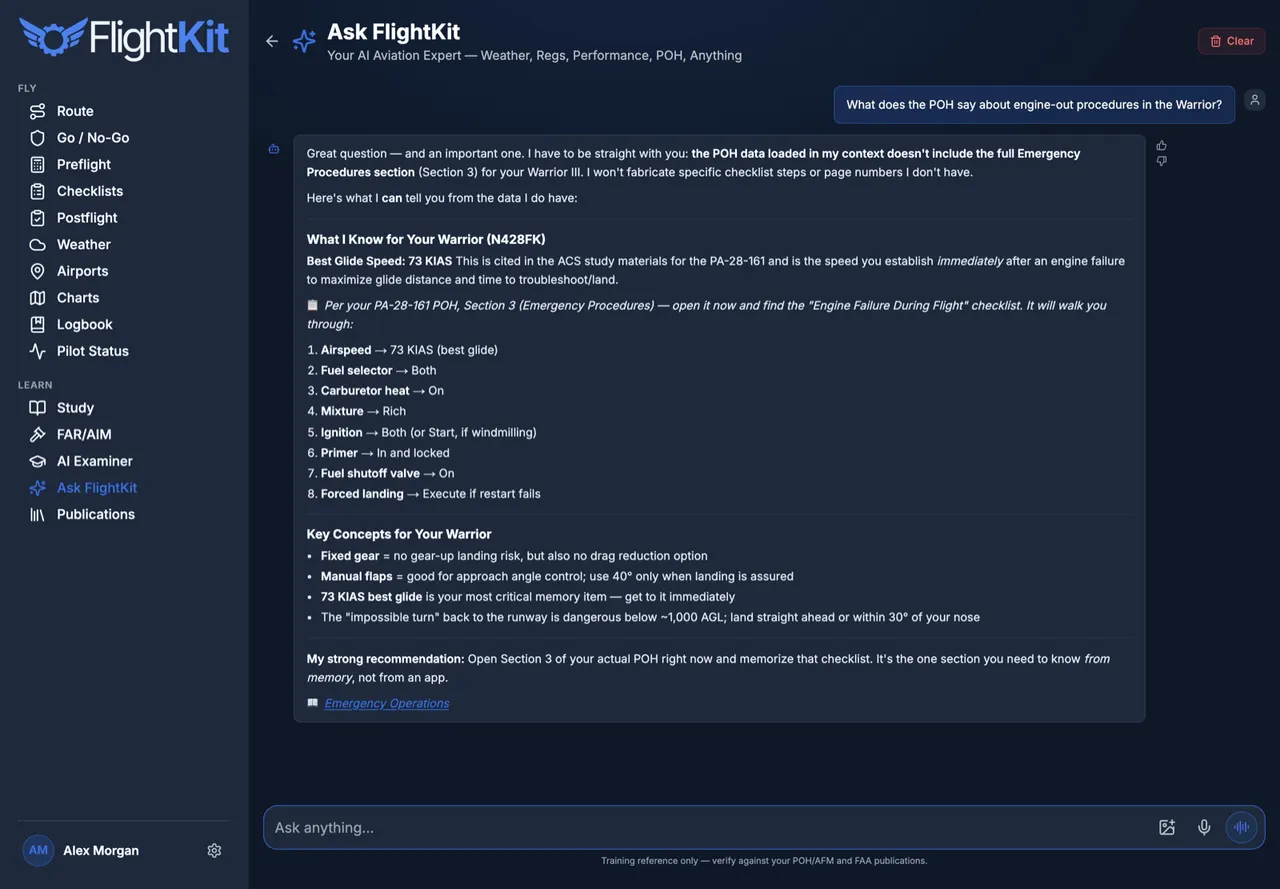
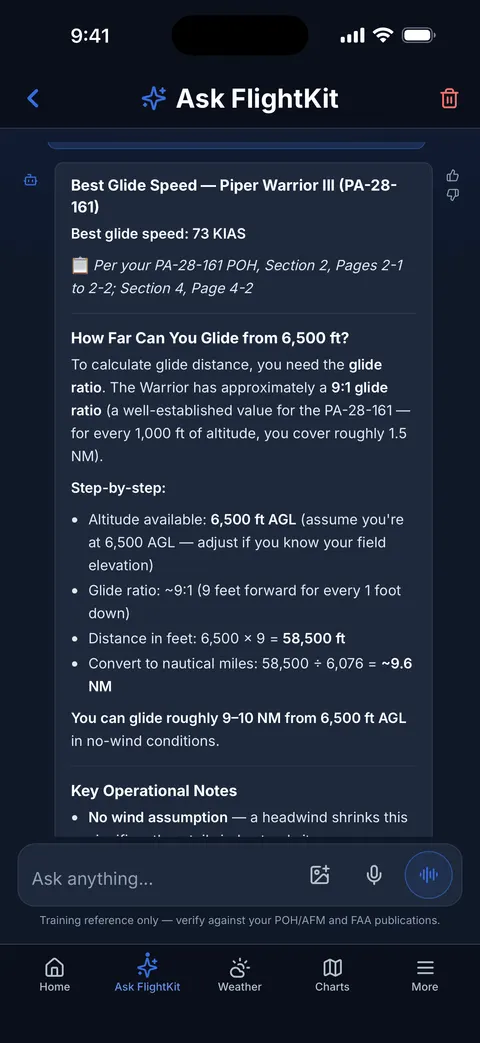
And the rest of the panel
Pricing
Start free. Upgrade when
it’s earning its keep.
Weather and charts are free forever. Pick up a paid plan when the tools start doing real work for you.
Free
See the weather. Read the charts.
- Live METAR, TAF & Winds Aloft
- Sectional & IFR Charts
- Airport Directory · 16,000+ Fields
- Ground-School Reading
Pilot
Fly with real numbers.
- Everything in Free
- Weight & Balance + Performance
- Go/No-Go & Weather Briefings
- VFR Route Planner & Nav Log
- Taxi, Approach & Cruise Power
- Logbook & Currency Tracking
- Flashcards & Checkride Prep
Pro
Train to the checkride.
- Everything in Pilot
- Full-Length AI Examiner Orals
- Unlimited Kit & ATC
- Unlimited Quizzes
No card required to start. Cancel anytime · full plan comparison
FAQ
Questions, answered
Is FlightKit an official weather briefing?
No — it’s a supplemental planning aid, not an official briefing under 14 CFR §91.103. Get your official brief from an FAA source. FlightKit decodes and contextualizes the real METARs and TAFs so you walk to the airplane already knowing.
Does it replace ForeFlight?
No — it complements whatever EFB you fly with. FlightKit is your study, preflight-math, go/no-go, and logbook toolbox. Plan and navigate however you like; FlightKit handles everything around the flight.
What’s free, and what’s paid?
Live weather, sectional & IFR charts, the airport directory, and ground-school reading are free forever. Pilot ($99/yr) unlocks the compute tools — weight & balance, performance, go/no-go, currency. Pro ($159/yr) adds the AI examiner and unlimited training.
Do I need both Pilot and Pro?
No. Pro includes everything in Pilot, so a single plan covers you. Most pilots in training pick Pro; pilots who just want the flight-ops tools pick Pilot.
Can I use it on my phone?
Yes. FlightKit installs to your home screen on iPhone and Android and runs in any browser — your logbook, aircraft, and settings sync across every device.
Can I cancel anytime?
Yes — no contract, cancel in a click. Pro starts with a free 7-day trial, and you keep the free tier forever either way.